 by
by INTRODUCTION
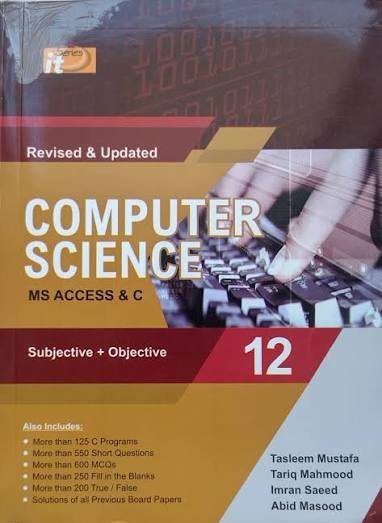
The 2nd Year IT Series book is designed to provide students with both theoretical knowledge and practical skills in the fields of database management and computer programming. The book is divided into two major parts. The first seven chapters focus on Microsoft Access, a powerful Database Management System (DBMS) used to create, organize, store, and manage data efficiently. Students learn the fundamentals of databases, including tables, queries, forms, reports, relationships, macros, and other essential tools required to develop professional database applications. These chapters help students understand how information is stored, retrieved, and managed in real-world organizations such as schools, hospitals, banks, libraries, and businesses.
2nd Year IT Series
The remaining six chapters introduce the C programming language, one of the most important and widely used programming languages in computer science. Students learn the basic concepts of programming, including variables, data types, operators, control structures, functions, arrays, pointers, and file handling. Through practical examples and programming exercises, they develop logical thinking and problem-solving skills. Together, both sections provide a strong foundation in information technology, preparing students for higher education, software development, database management, and various careers in the rapidly growing field of computer science.
2nd Year IT Series
Microsoft Access:
Introduction
Microsoft Access is a database management system (DBMS) developed by Microsoft. It is included in some versions of the Microsoft Office suite and is designed to help users create, store, organize, and manage large amounts of data efficiently. Unlike spreadsheets, which are mainly used for calculations and simple data storage, Microsoft Access provides a structured way to manage data using relational databases.
Microsoft Access is widely used by students, teachers, small businesses, hospitals, schools, libraries, and organizations to maintain records, generate reports, and automate repetitive tasks. It offers a user-friendly interface, making it suitable for beginners while also providing advanced features for experienced users.
History of Microsoft Access
Microsoft Access was first introduced in 1992 as a desktop database application. Since then, Microsoft has continuously improved its features by adding better security, enhanced user interfaces, cloud integration, and improved performance. Today, Microsoft Access remains a popular choice for small and medium-sized database applications.
Features of Microsoft Access
Microsoft Access offers several useful features that make database management easier:
1. Tables
Tables are the foundation of every Access database. They store information in rows and columns. Each row represents a record, while each column represents a field.
For example, a student database may include fields such as:
- Student ID
- Name
- Class
- Age
- Phone Number
2. Queries
Queries allow users to search, filter, sort, and analyze data. Instead of manually searching through thousands of records, queries quickly retrieve only the required information.
For example:
- Display all students with marks above 80%.
- Find employees working in a specific department.
3. Forms
Forms provide a user-friendly interface for entering and editing data. Instead of typing directly into tables, users can enter information through customized forms that reduce errors and improve efficiency.
4. Reports
Reports help users present information in a professional format. Businesses often use reports to generate invoices, sales summaries, attendance sheets, and financial statements.
5. Relationships
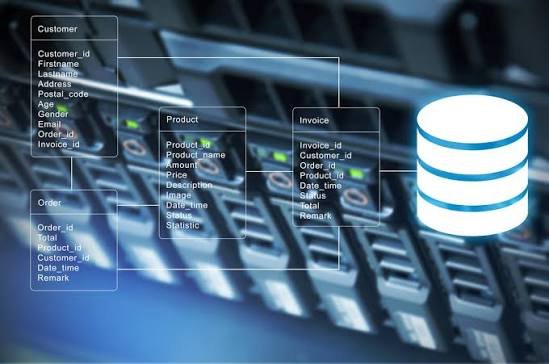
One of the strongest features of Microsoft Access is its ability to create relationships between multiple tables. This reduces data duplication and ensures consistency.
For example:
- A Students table can be linked with a Courses table.
- An Orders table can be linked with a Customers table.
6. Macros
Macros automate repetitive tasks without requiring programming knowledge. Users can create buttons that automatically open forms, print reports, or perform calculations.
7. VBA (Visual Basic for Applications)
Advanced users can write VBA code to automate complex tasks, customize applications, and build powerful database systems.
Components of Microsoft Access
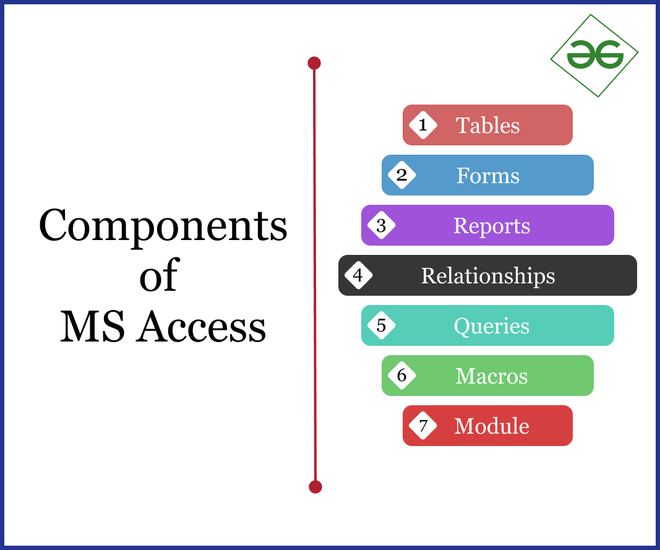
The main components include:
- Tables
- Queries
- Forms
- Reports
- Macros
- Modules
Each component works together to create a complete database application.
Advantages of Microsoft Access
Microsoft Access provides many benefits:
- Easy to learn and use.
- User-friendly graphical interface.
- Organizes large amounts of data efficiently.
- Reduces duplicate data through relationships.
- Generates professional reports quickly.
- Supports automation using macros.
- Integrates with Microsoft Excel, Word, and Outlook.
- Cost-effective for small businesses.
- Suitable for educational projects.
- Provides data security through passwords and permissions.
Disadvantages of Microsoft Access
Despite its advantages, Microsoft Access has some limitations:
- Not suitable for very large databases.
- Performance decreases with millions of records.
- Limited support for many simultaneous users.
- Mostly available on Windows operating systems.
- Less powerful than enterprise database systems like SQL Server or Oracle.

Applications of Microsoft Access
Microsoft Access is used in many fields, including:
Education
Schools and colleges use Access to maintain student records, attendance, examination results, and fee management.
Business
Small businesses use Access to manage customer information, inventory, employee records, and sales data.
Healthcare
Hospitals use Access to store patient records, appointment schedules, and billing information.
Libraries
Libraries maintain book records, member details, and book issue history using Access databases.
Banking
Small financial institutions use Access to manage customer accounts and transaction records.
Importance of Microsoft Access
Data has become one of the most valuable resources in today’s digital world. Organizations need reliable systems to store and retrieve information accurately. Microsoft Access provides an affordable solution that helps users organize information, improve productivity, reduce errors, and make better decisions based on data.
Students also benefit from learning Microsoft Access because database management is an important skill in computer science, information technology, and business administration.
Conclusion
Microsoft Access is a powerful yet easy-to-use database management system that helps individuals and organizations organize data efficiently. Its features such as tables, queries, forms, reports, relationships, and automation tools make it suitable for various applications. Although it may not replace enterprise-level database systems, it remains an excellent choice for students, educational institutions, and small businesses. Learning Microsoft Access builds a strong foundation in database management and prepares users for more advanced database technologies in the future.
C Language:
Introduction
C is one of the most popular and influential programming languages in the world. It was developed by Dennis Ritchie in 1972 at Bell Laboratories. C is known as a general-purpose, procedural programming language that is fast, efficient, and flexible. It has played a significant role in the development of modern software and operating systems.
Many popular programming languages, such as C++, Java, and C#, are based on concepts introduced by C. It is widely used in software development, embedded systems, operating systems, game development, and system programming. Due to its simplicity and performance, C is often the first programming language taught to computer science students.
History of C Language
The C programming language was created by Dennis Ritchie at Bell Laboratories. It was developed as an improvement over the B programming language. Initially, C was designed for writing the UNIX operating system, but its speed and portability soon made it one of the most widely used programming languages worldwide.
Over the years, C has become an international standard, ensuring that programs written in C can run on different computer systems with little or no modification.
Features of C Language
C offers many features that make it a powerful programming language.
1. Simple and Easy to Learn
C has a straightforward syntax that makes it easier for beginners to understand programming concepts such as variables, loops, functions, and arrays.
2. Fast Execution
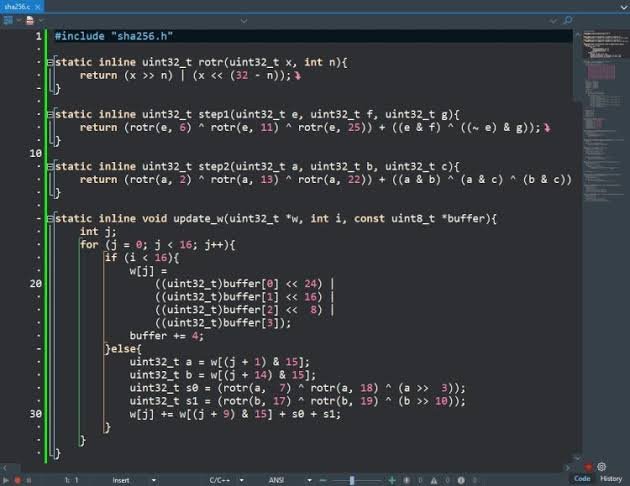
Programs written in C execute very quickly because C is a compiled language. The source code is converted directly into machine code, making it highly efficient.
3. Portable
C programs can run on different operating systems and hardware platforms with minimal changes. This portability makes C suitable for developing cross-platform applications.
4. Structured Programming
C follows a structured programming approach, where large programs are divided into smaller functions. This improves readability, debugging, and maintenance.
5. Rich Library Functions
C provides a large standard library containing built-in functions for mathematical calculations, file handling, string manipulation, memory management, and input/output operations.
6. Low-Level Memory Access
One of the unique features of C is the use of pointers, which allow programmers to access and manipulate memory directly. This makes C ideal for system programming and embedded systems.
7. Dynamic Memory Allocation
C allows programmers to allocate and free memory during program execution using functions such as malloc(), calloc(), realloc(), and free().
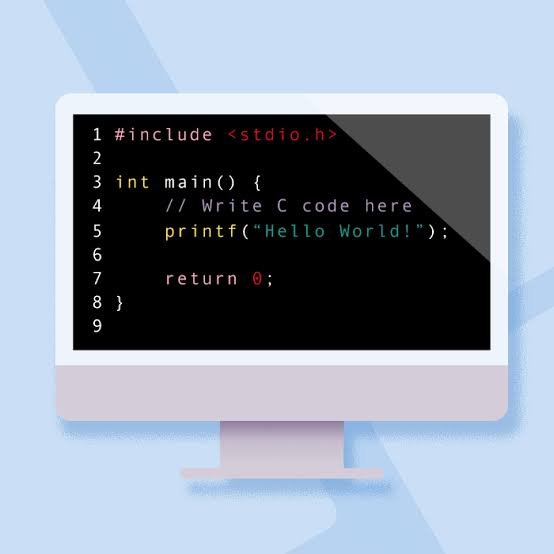
Basic Structure of a C Program
A basic C program consists of several components:
- Preprocessor directives (such as
#include) - Main function (
main()) - Variable declarations
- Statements and expressions
- Output statements
- Return statement
Every C program begins execution from the main() function.
Basic Data Types in C
C supports several data types, including:
- int – Stores whole numbers.
- float – Stores decimal numbers.
- double – Stores larger decimal values with greater precision.
- char – Stores a single character.
- void – Represents the absence of a value.
These data types allow programmers to store different kinds of information efficiently.
Control Statements
Control statements determine the flow of program execution.

Decision-Making Statements
ifif-elseswitch
These statements allow programs to make decisions based on conditions.
Looping Statements
forwhiledo-while
Loops repeat a block of code until a specified condition is met.
Jump Statements
breakcontinuegotoreturn
These statements change the normal flow of execution within a program.
Functions in C
Functions are blocks of code designed to perform specific tasks. They improve code organization and reduce repetition.
There are two main types of functions:
- Library functions (such as
printf()andscanf()) - User-defined functions created by the programmer
Using functions makes programs modular, reusable, and easier to maintain.
Advantages of C Language
C offers numerous advantages that have contributed to its long-lasting popularity:
- Easy to understand and learn.
- High execution speed.
- Efficient memory management.
- Portable across different platforms.
- Supports structured programming.
- Provides direct access to hardware.
- Large collection of built-in functions.
- Forms the foundation for learning many modern programming languages.
- Widely supported by compilers and development tools.
- Suitable for both small and large software projects.
Disadvantages of C Language
Despite its strengths, C has some limitations:
- Does not support object-oriented programming.
- No automatic garbage collection.
- Manual memory management can lead to memory leaks.
- Limited runtime error checking.
- No built-in exception handling.
- Buffer overflow errors can occur if programs are not carefully written.
Applications of C Language
C is used in many areas of computing, including:
Operating Systems
Many operating systems, including parts of the Linux kernel, are written in C because of its speed and low-level hardware access.
Embedded Systems
C is widely used to program microcontrollers, robots, household appliances, and automotive control systems.
Software Development
Many desktop applications and utility programs are developed using C.
Game Development
Game engines and graphics libraries often use C for performance-critical components.
Database Systems
Popular database management systems use C to handle data processing efficiently.
Networking
C is used to develop networking software, communication protocols, and internet applications.
Compilers and Interpreters
Many programming language compilers and interpreters are written in C because of its efficiency and portability.
Importance of Learning C
Learning C provides a strong foundation in programming. It helps students understand essential concepts such as variables, data types, loops, functions, pointers, memory management, and algorithms. Since many modern programming languages are influenced by C, mastering it makes learning languages like C++, Java, and Python much easier.
For students pursuing computer science, software engineering, or information technology, C remains one of the most valuable programming languages to study.
Conclusion
C is one of the most powerful and influential programming languages ever developed. Its simplicity, speed, portability, and efficiency have made it a preferred choice for programmers, educators, and software developers for decades. From operating systems and embedded devices to games and database systems, C continues to play a vital role in modern computing. Learning C not only develops programming skills but also provides a solid foundation for understanding advanced computer science concepts and modern programming languages.
