 by
by Introduction
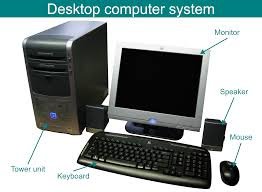
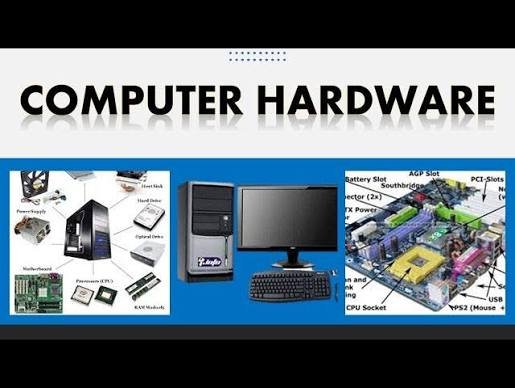
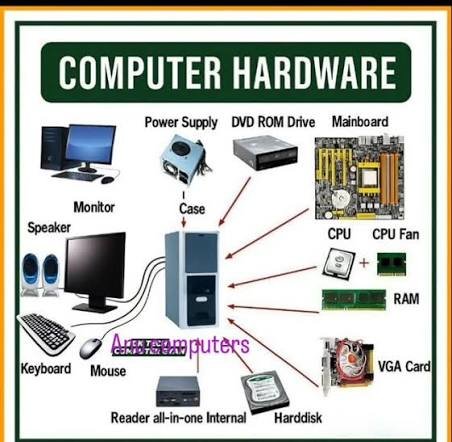
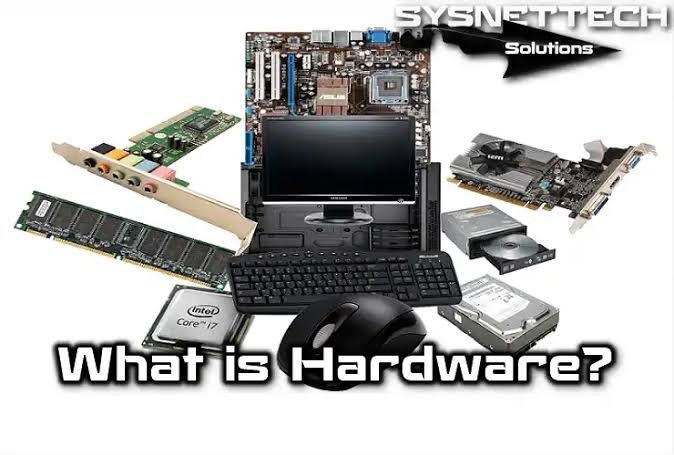
At its core, hardware refers to the physical, tangible components of a computer or electronic system. If you can touch it, kick it, or plug it in, it’s hardware.
Hardware works in tandem with software (the intangible instructions and programs) to make a device actually do something useful.
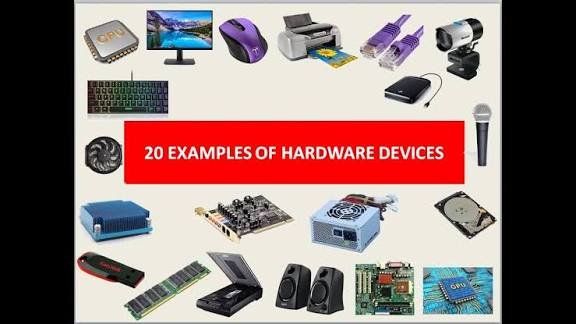
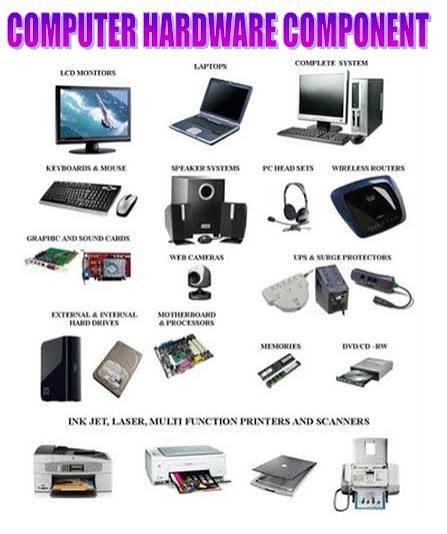
To make it easy to understand, computer hardware is generally broken down into four main categories, reflecting how data flows through a system.
1. Input Devices
These are the components used to feed data and commands into the computer. They bridge the gap between human action and digital reaction.
- Keyboard & Mouse: The standard tools for typing and navigating.
- Microphone: Converts sound waves into digital audio data.
- Camera/Webcam: Captures visual information.
- 2. Processing (The “Brain”)
Once the data enters the system, processing hardware manipulates it according to instructions from the software.
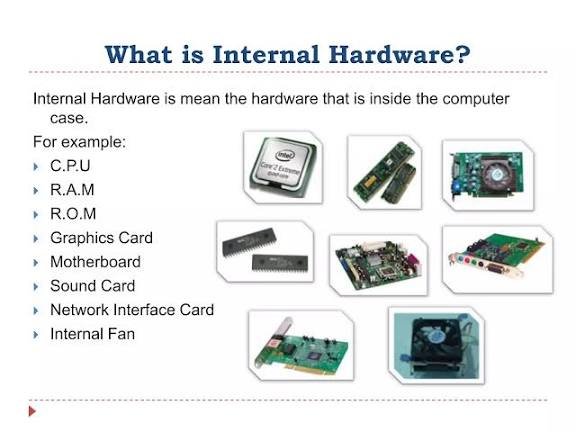
- Central Processing Unit (CPU): The absolute brain of the computer. It executes instructions, performs calculations, and manages the flow of data.
- Graphics Processing Unit (GPU): A specialized processor designed to handle complex visual data, crucial for gaming, video editing, and 3D rendering.
3. Storage & Memory
Computers need places to keep data both temporarily (while working) and permanently (for the future).
- Random Access Memory (RAM): The computer’s short-term memory. It holds data that the CPU needs right now for active tasks. RAM is volatile, meaning everything is wiped when the power turns off.
- Storage Drives (SSD / HDD): The computer’s long-term memory.
- Solid State Drives (SSDs) are modern, incredibly fast, and use flash memory.
- Hard Disk Drives (HDDs) are older, slower, and use spinning magnetic platters.
- Unlike RAM, storage is non-volatile—your files stay safe when the device is powered down.
4. Output Devices
After processing the data, the computer needs a way to present the results back to you.
- Monitor/Screen: Displays visual output.
- Speakers/Headphones: Outputs auditory information.
- Printer: Translates digital documents into physical form.
The Nervous System: The Motherboard
None of these parts can work in isolation. They all plug into the Motherboard, which acts as the main circuit board of the computer. It provides the pathways (called buses) that allow the CPU, RAM, storage, and all other peripherals to communicate with one another.
The Restaurant Analogy:
Think of a computer like a busy restaurant kitchen:
- The CPU is the Head Chef, doing all the actual cooking and decision-making.
- The RAM is the chef’s kitchen counter. It holds the ingredients currently being chopped. If the counter is small, the chef slows down.
- The Storage (SSD) is the pantry. It holds all the ingredients and recipes for later, even when the kitchen closes for the night.
- The Input is the waiter taking your order; the Output is the finished plate placed in front of you.
Is there a specific type of hardware you’re curious about—like how a phone’s hardware differs from a PC, or how a specific component works under the hood?
Here is an entirely new angle on hardware. Instead of focusing on the standard parts (like CPU and RAM), this material covers how hardware is physically built (Materials & Manufacturing) and advanced/next-gen hardware concepts that shape the future.
The Physical Materials: What is Hardware Actually Made Of?
If you crack open any electronic hardware, you won’t just find plastic and metal. It is a masterpiece of chemistry and material science:
- Silicon (The Semiconductor): The absolute foundation of modern hardware. Obtained from common sand, silicon is purified and used to make microchips. It is chosen because it is a “semiconductor”—meaning its ability to conduct electricity can be precisely controlled.
- Copper and Gold (The Connectors):
- Copper is used for the tiny pathways (traces) on circuit boards because it conducts electricity incredibly well and is affordable.
- Gold is used to coat high-end connectors (like HDMI pins or CPU contacts) because it never rusts or corrodes, ensuring a perfect connection forever.
- Fiberglass & Epoxy Resin: The green or black board itself (the Motherboard/PCB) is made of woven fiberglass soaked in resin. This provides a tough, heat-resistant, and non-conductive base so the electricity doesn’t short-circuit.
- Rare Earth Elements: Elements like Neodymium are used to make the super-strong magnets found inside traditional hard drives and speaker vibrations.
The Manufacturing Process: How it’s Built
Hardware isn’t assembled by hand; it requires extreme precision:
- Photolithography: This is how microchips are made. Light is used to “print” billions of microscopic microscopic transistors onto a slice of silicon (a wafer).
- SMT (Surface Mount Technology): High-speed robotic arms place tiny resistors, capacitors, and chips onto a motherboard at lightning speed, which are then baked in a specialized oven to solder them permanently into place.
Next-Generation Hardware (The Future)
Hardware is evolving past traditional silicon chips. Here is what is coming next:
1. Quantum Hardware
Instead of using standard silicon transistors that process data in bits (0s and 1s), quantum computers use Qubits (often made using superconducting materials or trapped ions). This allows the hardware to calculate complex problems millions of times faster than a regular supercompu
2. Neuromorphic Hardware
This is hardware designed to mimic the human brain. Instead of separate processing (CPU) and memory (RAM) sections, neuromorphic chips combine them into “artificial neurons,” making AI processing incredibly fast and highly energy-efficient.
3. Biocomputing / DNA Storage
Scientists are developing hardware that uses synthetic DNA strands to store data. Because DNA is ultra-dense, you could theoretically store all the world’s current digital data inside a single coffee mug full of DNA hardware.
Hardware Lifecycles: The “E-Waste” Challenge
A major topic in modern hardware is E-Waste (Electronic Waste). Because hardware uses precious metals and toxic chemicals (like lead and cadmium), older hardware cannot just be thrown in the trash. The tech industry is shifting toward Circular Hardware Design, creating devices that are modular, easy to repair, and 100% recyclable.